
Applies to Event Management & Employee Training Management
Upgrade from Exchange Web Services (EWS) to Microsoft Graph API
Overview
Microsoft has announced the retirement of Exchange Web Services (EWS) in Exchange Online, effective October 1, 2026. After this date, EWS-based integrations will no longer be supported.
To ensure uninterrupted email functionality, all affected SharePoint|sapiens solutions must be upgraded to use the Microsoft Graph API.
Who Needs to Upgrade
This upgrade is required for all customers using the following solutions:
-
SharePoint|sapiens Event Management
-
SharePoint|sapiens Employee Training Management
-
SharePoint|sapiens Calendar Email Extension
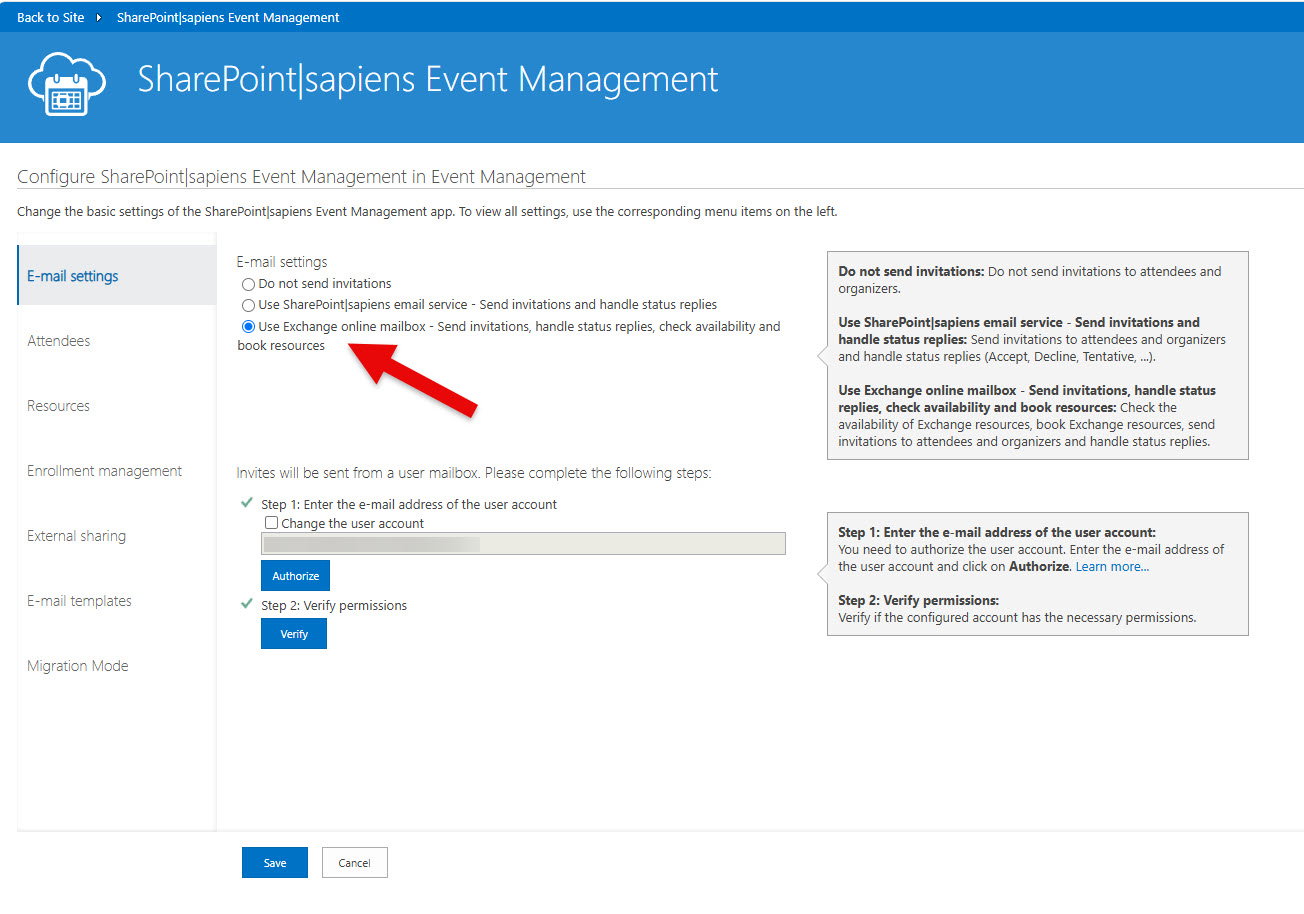
And who have configured an Exchange Online mailbox using the following option:
Send invitations, handle status replies, check availability, and book resources
Important Notes
The upgrade needs to be performed once per mailbox unless a tenant administrator grants consent on behalf of the organization during the authorization process. If users are not allowed to consent to Enterprise Applications in your tenant, consent on behalf of the organization should always be selected, since users cannot consent on their own.
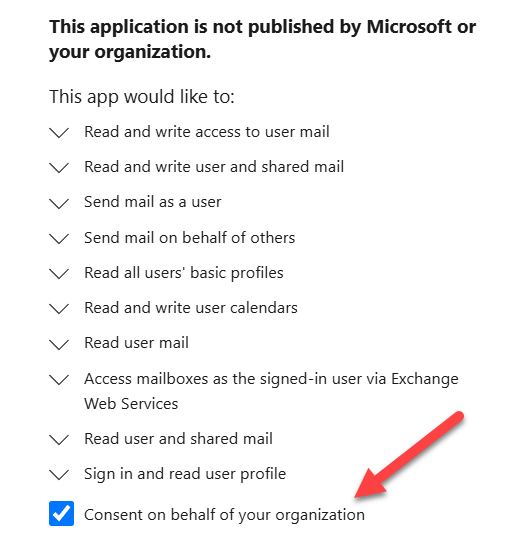
If the Microsoft 365 tenant administrator selects “Consent on behalf of your organization” when approving the Microsoft Graph permissions, the consent is granted tenant-wide. In this case:
-
Users don’t have to consent again. This is important if users are not permitted to consent on their own.
-
The upgrade only needs to be initiated once.
-
Only a single site/mailbox needs to complete the authorization process.
-
All other sites and mailboxes in the tenant will automatically use the Microsoft Graph integration without requiring an individual upgrade.
If organization-wide consent is not granted, each mailbox must be authorized separately by completing the upgrade process for that mailbox. In this case it’s also important that users have the permissions to consent on their own.
Upgrade Procedure
1. Open App Settings
-
Navigate to your SharePoint site.
-
Open the relevant SharePoint|sapiens app.
-
Go to App Settings.
2. Follow the Upgrade Banner Instructions
Locate the E-mail Settings section.
Follow the instructions shown in the upgrade banner:
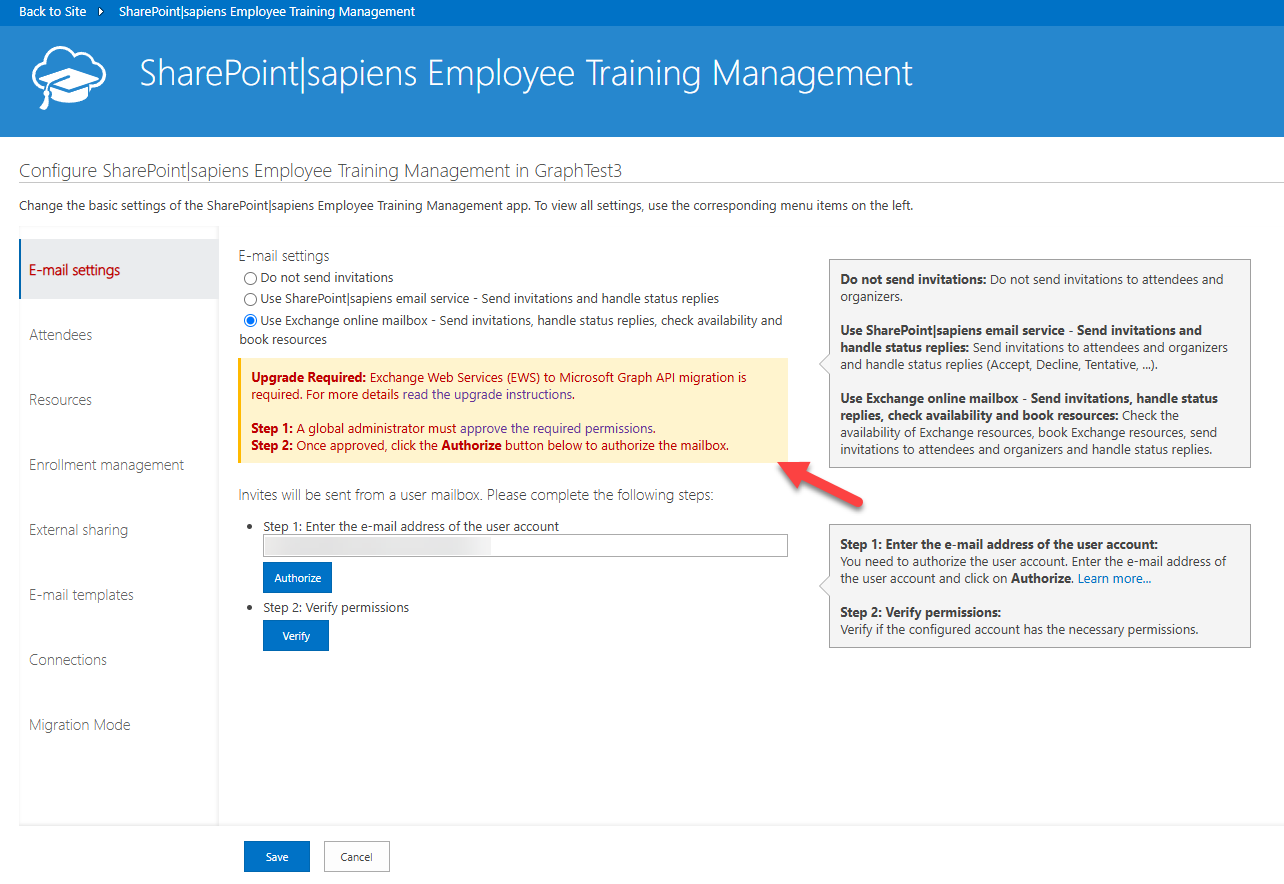
The banner guides you through the process:
-
Step 1: A Global Administrator must approve the required permissions. Click on the link or copy the link and send it to your Global Administrator.
Tip: We recommend performing the upgrade using a tenant administrator account and selecting “Consent on behalf of your organization” when prompted. This enables Microsoft Graph access for all mailboxes in the tenant and eliminates the need to repeat the upgrade for each mailbox individually. Also in most tenants (depending on security configurations) users are not permitted to consent on their own.
-
Step 2: Once approved, click the Authorize button below to authorize the mailbox.
Permissions Required
During the upgrade, the following additional Microsoft Entra ID permissions are required:
-
Read and write access to user mail
-
Read and write access to shared mail
-
Send mail as a user
-
Send mail on behalf of others
Note: Permissions previously required for Exchange Web Services (EWS) may still be visible. These remain in place temporarily and are required during the transition period.
After the Upgrade
-
The app will use the Microsoft Graph API instead of EWS.
-
Email features will continue to function without disruption.
-
No further action is required after successful authorization.
Additional Information
For more details, refer to the official announcement:
Summary
To avoid service disruption after October 1, 2026, ensure you:
-
Authorize Microsoft Graph API access
-
Ensure required permissions are granted
-
Complete the upgrade in app settings