
Applies to Calendar E-Mail Extension on SharePoint online
How to Upgrade Calendar E-Mail Extension from the SharePoint Add‑in to the Microsoft 365 / Entra ID App
This guide explains how to upgrade the SharePoint|sapiens Calendar Email Extension from the classic SharePoint Add‑in model to the modern Microsoft 365 / Entra ID app model.
Prerequisites
To perform the upgrade, you must:
- Be a Global Administrator or Application Administrator in Microsoft 365
- Have Owner or Site Collection Administrator access to the SharePoint site where the Calendar Email Extension is currently installed
If you have multiple sites using the Calendar Email Extension, you only need a global or application administrator to upgrade the first site. Once the first site is upgrade, site owners or site collection administrators can upgrade other sites on their own.
Upgrade Steps
1. Open the SharePoint Site
Navigate to the SharePoint site where the Calendar Email Extension is installed.
2. Install the Modern UI App
To enable the modern interface:
- Open the Settings (⚙) menu
- Click Site contents
- Click Add an app, click on From SharePoint Store
- Search for SharePoint|sapiens Modern User Interface
- Add it to the site
3. Open the add-in
- Open the Settings (⚙) menu
- Click Site contents
- Locate the Calendar Email Extension add‑in
- Click on it to open its details page
4. Start the Upgrade
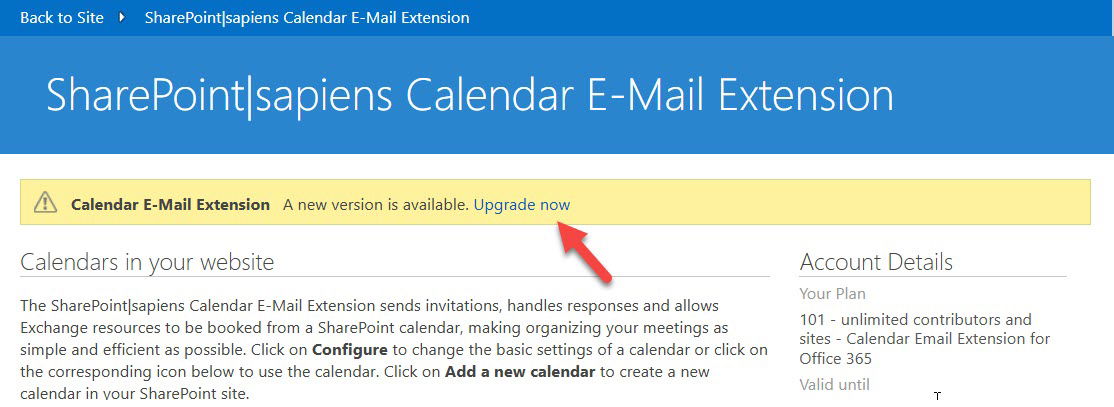
If an upgrade is available, a banner notification will appear.
- Click Upgrade Now
5. Sign In and Grant Admin Consent
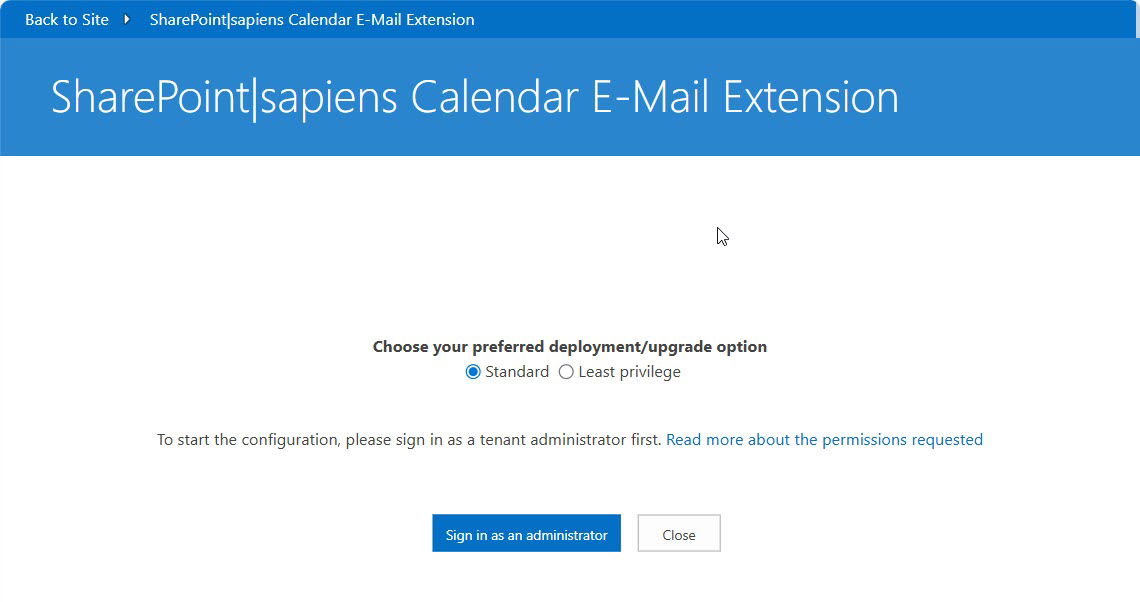
You’ll be prompted to sign in with an admin account.
- Log in as a Global or Application Administrator
- Review the requested permissions
- Click Accept to consent
This step registers the new Microsoft 365 / Entra ID application.
6. Re‑Save Calendar Settings
After the upgrade completes:
- Click the button shown on screen to to go back
- Click on Configure for each calendar list visible to open the settings
- Click on Save to re-save the settings
This updates configuration values to the new app model.
The Upgrade Is Complete!
Your Calendar Email Extension is now using the modern Microsoft 365 / Entra ID app.
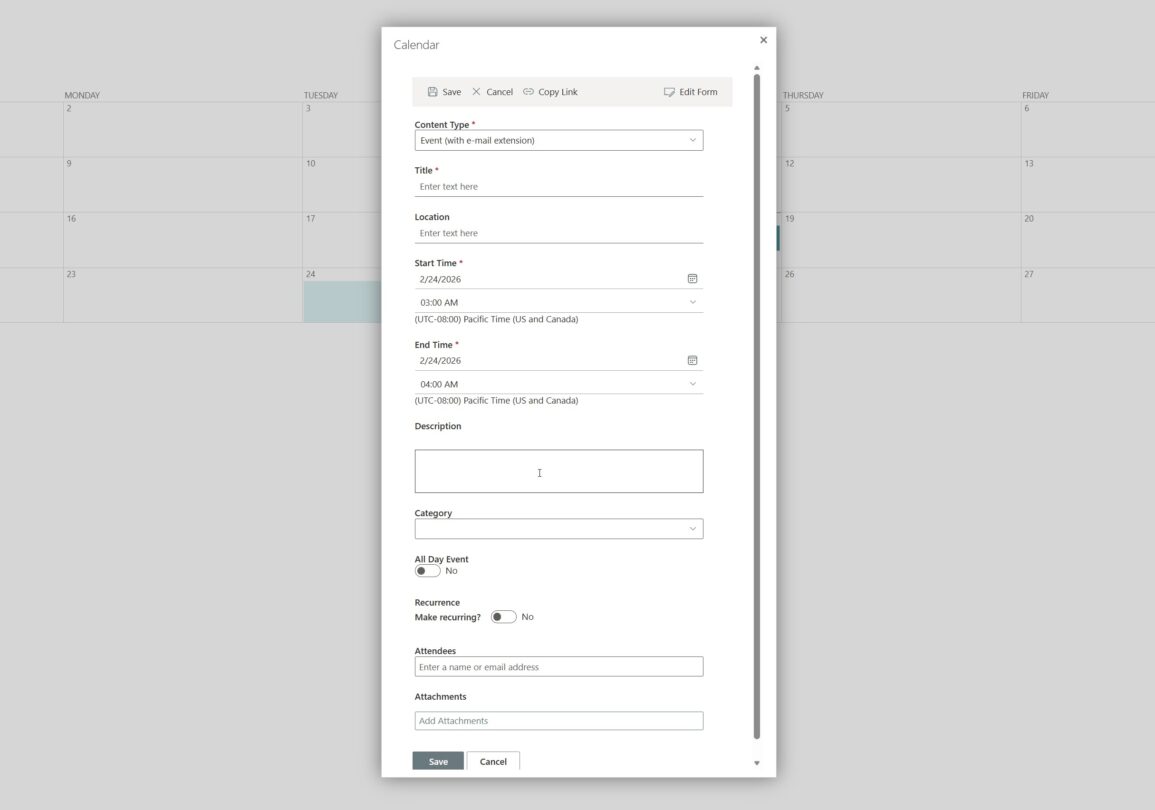
To verify, open the calendar, create a new event and verify if you see the new modern form.
If you are unsure whether the upgrade completed successfully or would like assistance with the upgrade, the SharePoint|sapiens team is happy to help.