
Applies to Event Management & Employee Training Management
Microsoft has announced that SharePoint Online will begin enforcing the SharePoint Content Security Policy (CSP) on March 1, 2026. Until now, CSP has operated only in report‑only mode, meaning violations were logged but scripts were not blocked. Once enforcement begins, scripts coming from non‑trusted or incorrectly defined sources will be blocked, which may impact custom solutions – especially SharePoint Framework (SPFx) apps. Learn more on: Support for Content Security Policy (CSP) in SharePoint Online | Microsoft Learn
Why CSP enforcement matters
CSP is a browser security standard designed to prevent attacks such as cross‑site scripting (XSS) by allowing pages to load scripts only from explicitly trusted locations. If a script originates from a source not listed in SharePoint’s Trusted Script Sources, the browser will block it once CSP enforcement begins.
This has major implications for SPFx apps, which often load script resources from CDNs. Even small configuration details – such as whether a URL ends with a trailing slash – can determine whether SharePoint considers a script source trusted.
Impact on SharePoint|sapiens Apps
The following SharePoint|sapiens apps rely on resources hosted on Azure CDN:
- SharePoint|sapiens Event Management
- SharePoint|sapiens Employee Training Management
- SharePoint|sapiens Modern User Interface
These applications load their assets from:
https://cdn-sharepointsapiens.azureedge.net/modernuserinterface/However, we have identified that in tenants where the app was installed or updated before December 2025, this entry is incorrectly stored without the trailing slash (see Why this manual fix is necessary — A short history):
https://cdn-sharepointsapiens.azureedge.net/modernuserinterfaceUnder CSP rules URLs without a trailing slash are interpreted as a single file, not a folder. As a result:
- All files inside the folder are treated as untrusted
- Scripts are blocked under CSP enforcement
- App components fail to load, appear blank, or stop working entirely
This behavior matches Microsoft’s published CSP enforcement model, where scripts from non‑allowed locations are blocked.
How to check whether you are affected
Before applying the fix, you may want to check whether your tenant is impacted.
If you are a SharePoint administrator
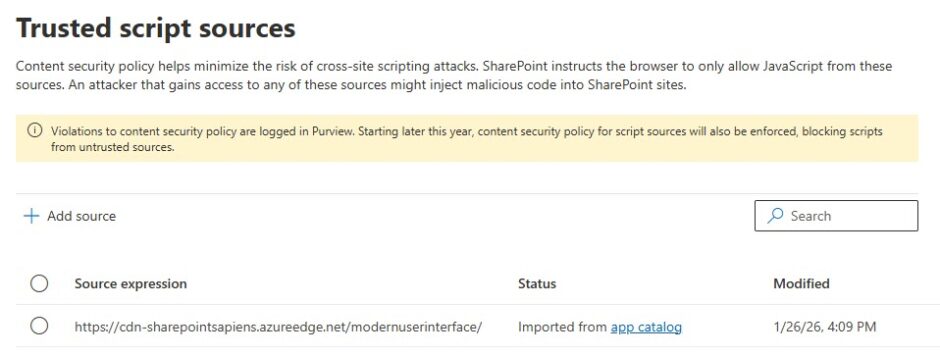
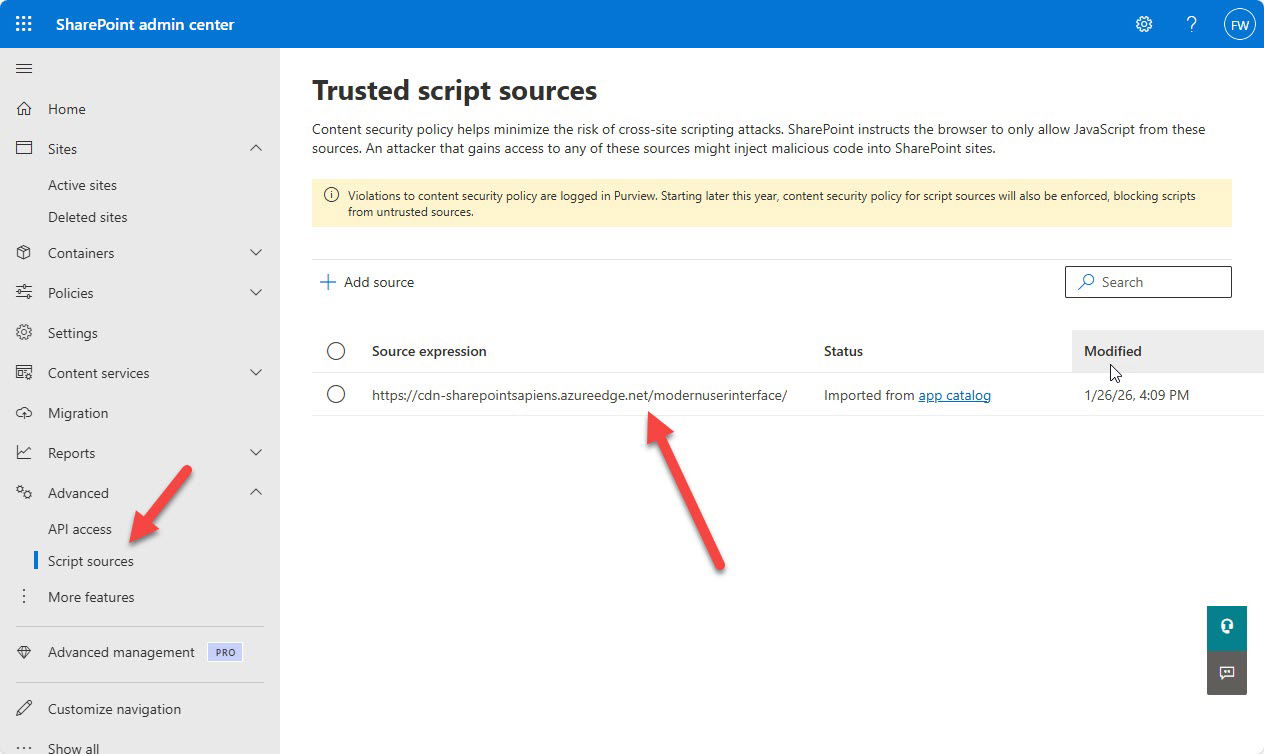
- Go to SharePoint Admin Center → Advanced → Script sources
- Review all script source entries
- Identify any URLs pointing to folders (i.e., ending in a path)
- Ensure all these entries ends with a trailing slash
/
Incorrecthttps://cdn-sharepointsapiens.azureedge.net/modernuserinterface
Correcthttps://cdn-sharepointsapiens.azureedge.net/modernuserinterface/
If you are a regular SharePoint user
You can check whether your SharePoint|sapiens site is affected even without admin permissions.
- Open one of the SharePoint pages that uses SharePoint|sapiens components
– For example: For Organizers, or a page showing the event list - Add the following to the end of the page URL:
?csp=enforce - Reload the page
If the page:
- loads correctly → your tenant is likely not affected
- shows missing web parts, blank sections, or errors → your tenant is affected and an administrator must apply the fix
What needs to be done (SharePoint Administrator required)
Because this concerns tenant-level CSP configuration, only a SharePoint Administrator can apply the fix. You may choose one of the following options.
Option 1 — Update or re-install the app (Recommended if not yet on version 3.3.30)
If your SharePoint|sapiens app is not yet using version 3.3.30, we strongly recommend updating the app in the Tenant App Catalog.
Updating the app will:
- Apply the correct trusted script source (with trailing slash)
- Update the app to version 3.3.30 with all enhancements and fixes
If you are already on version 3.3.30, correct the script path manually using Option 2.
Option 2 — manually correct the Trusted Script Source
A SharePoint Administrator can manually adjust the script source:
- Open SharePoint Admin Center
- Go to Advanced → Script sources
- Look for the following (incorrect) entry:
https://cdn-sharepointsapiens.azureedge.net/modernuserinterface - Replace it with:
https://cdn-sharepointsapiens.azureedge.net/modernuserinterface/ - Save your changes
This resolves the CSP compliance issue for all SharePoint|sapiens apps.
How to validate the fix
You can simulate Microsoft’s CSP enforcement today by adding the following parameter to any affected page URL:
?csp=enforceIf the page loads without errors and your browser console shows no violations, your configuration is correct.
Why this manual fix is necessary — A short history
Before December 2025, when SPFx apps were deployed to the Tenant App Catalog, SharePoint automatically added the CDN location specified in the SPFx package to the Trusted Script Sources list. However, these entries were stored without a trailing slash, like this:
https://cdn-sharepointsapiens.azureedge.net/modernuserinterfaceAt the time, this didn’t cause problems—CSP was not enforced, and the precise formatting wasn’t relevant.
When CSP enforcement was announced, this became a breaking issue
Community members (including SharePoint|sapiens) reported that:
- Without a trailing slash, SharePoint treats the entry as a file, not a folder
- CSP will not trust any files inside that folder
- Existing SPFx apps would therefore break as soon as CSP enforcement begins
Microsoft’s fix for newly deployed apps
In response to these reports, Microsoft updated SharePoint’s behavior:
As of December 2025, whenever an SPFx app is deployed, the configured CDN path is automatically added with a trailing slash.
The new correct format:
https://cdn-sharepointsapiens.azureedge.net/modernuserinterface/This ensures SharePoint treats it as a folder and trusts all script files within it.
However, existing entries still use incorrect sources
This change does not clean up previously stored script sources. As a result:
- Many tenants still have the old, trailing‑slash‑missing paths
- These tenants will face blocking issues on March 1, 2026
- A manual fix or an app update is required
SharePoint|sapiens raised additional concerns that this approach still leaves customers with legacy settings that must be resolved manually. More background is available here:
https://github.com/SharePoint/sp-dev-docs/issues/10520
Final notes & support
CSP enforcement is a major security milestone, and ensuring correct trusted script configuration is essential for uninterrupted app functionality.
If you are unsure whether your tenant is affected or would like assistance with the update or verification steps, the SharePoint|sapiens team is happy to help.